









License Upgrade Information
Thank you for purchasing a MicroScan Licence Upgrade.
The following information will assist you in applying the new upgrade to your MicroScan Installation.
When upgrading MicroScan Version 5 Licence Modules there are 3 main steps:
Create a New Agent Job
A licence key is not required to create a MicroScan V5 Agent Job. The project will run for a period of 4 hours and then stop.
Simply re-start MicroScan to continue configuration and testing.
- Install MicroScan V5
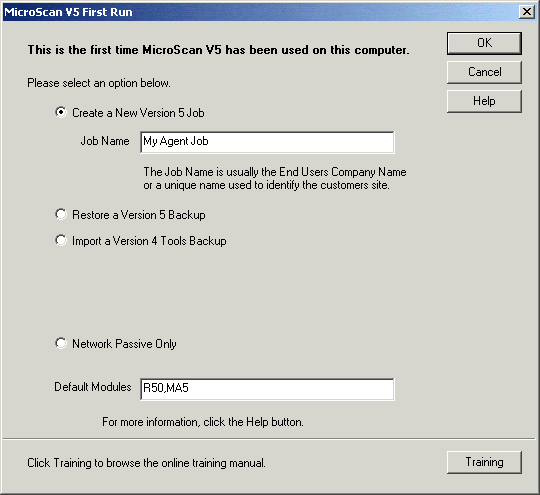
- Start MicroScan V5 for the first time and the following dialog will appear – enter in a Job Name and click “OK”.
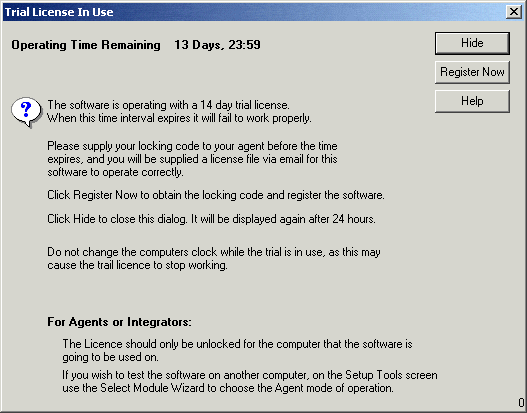
3. Next the Registration Dialog will appear – as we are using Agent Mode we do not require this so click “Hide”.
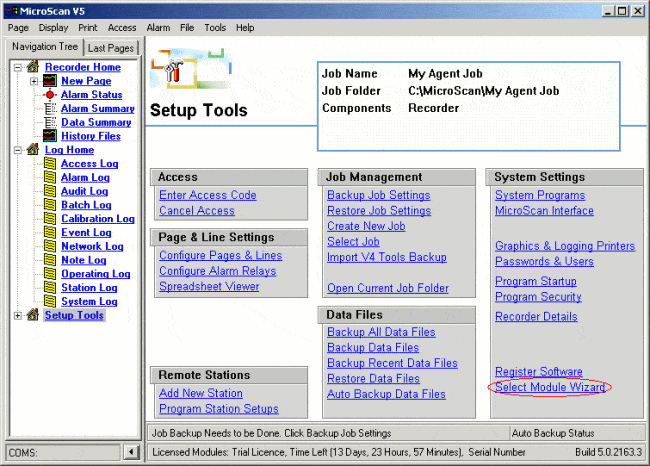
Now set up the basic options for MicroScan – click on the “Select Module Wizard” link:
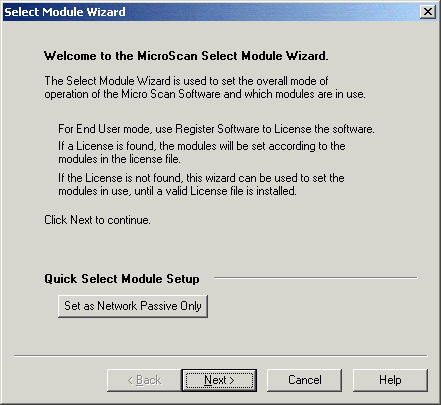
5. The Select Module Wizard Welcome dialog will appear. Click on “Next”.
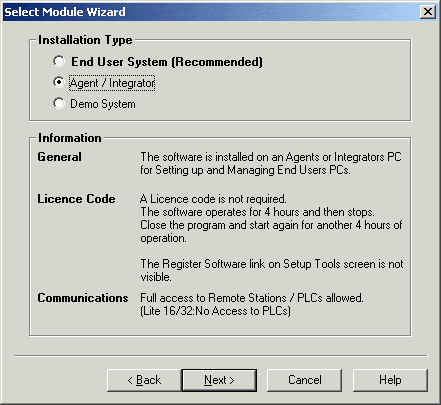
6. Select “Agent / Integrator” and then click “Next”.
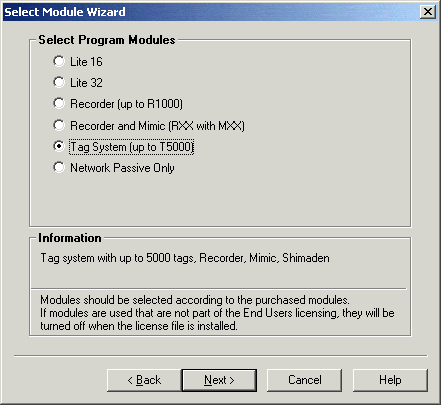
7. Select “Tag System” to give the most options and click “Next”.
8. Click “Next”.
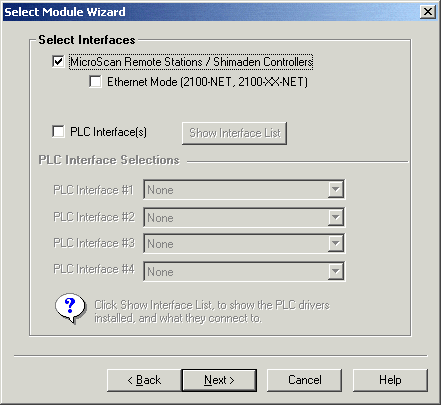
9. Click “Next”.
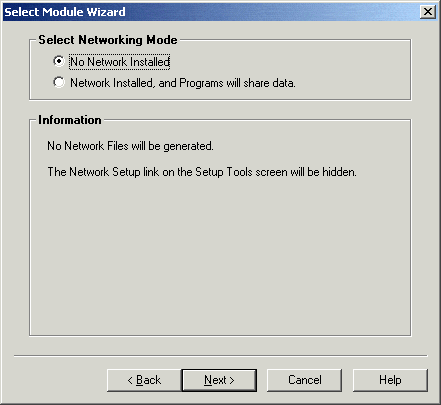
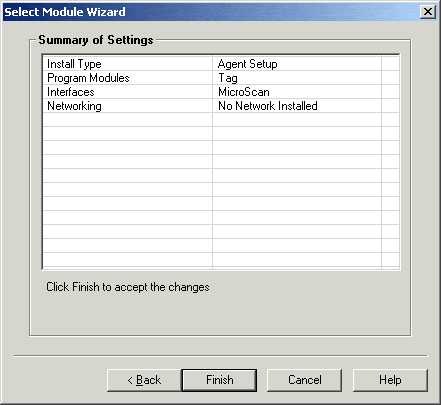
10. Click “Finished”.
Interfaces